
This article explains how to create multiple financial accounts in WEGly, switch between accounts, and manage them.
Why multiple accounts?
Many HOAs maintain a separate reserves account in addition to the regular service charge account. In WEGly you can create multiple accounts and record transactions separately. This gives you a clear overview of which funds are in which account.
Typical accounts in an HOA:
- Base (service charge account): Ongoing income and expenses
- Reserves: Maintenance reserve for larger repairs
- Special account: Temporary account for specific projects (e.g. roof renovation)
How it works
Adding an account
New accounts are created under Organization:
- Navigate to Organization in the sidebar.
- Click on the Financial accounts tab.
- Click Add account.
- Enter a name for the account, e.g. "Reserves account".
- Confirm with Save.
The new account appears in the account list and is immediately available as a dropdown option in the ledger under Finances.
Switching between accounts
Switch between accounts in the ledger:
- Navigate to Finances in the sidebar.
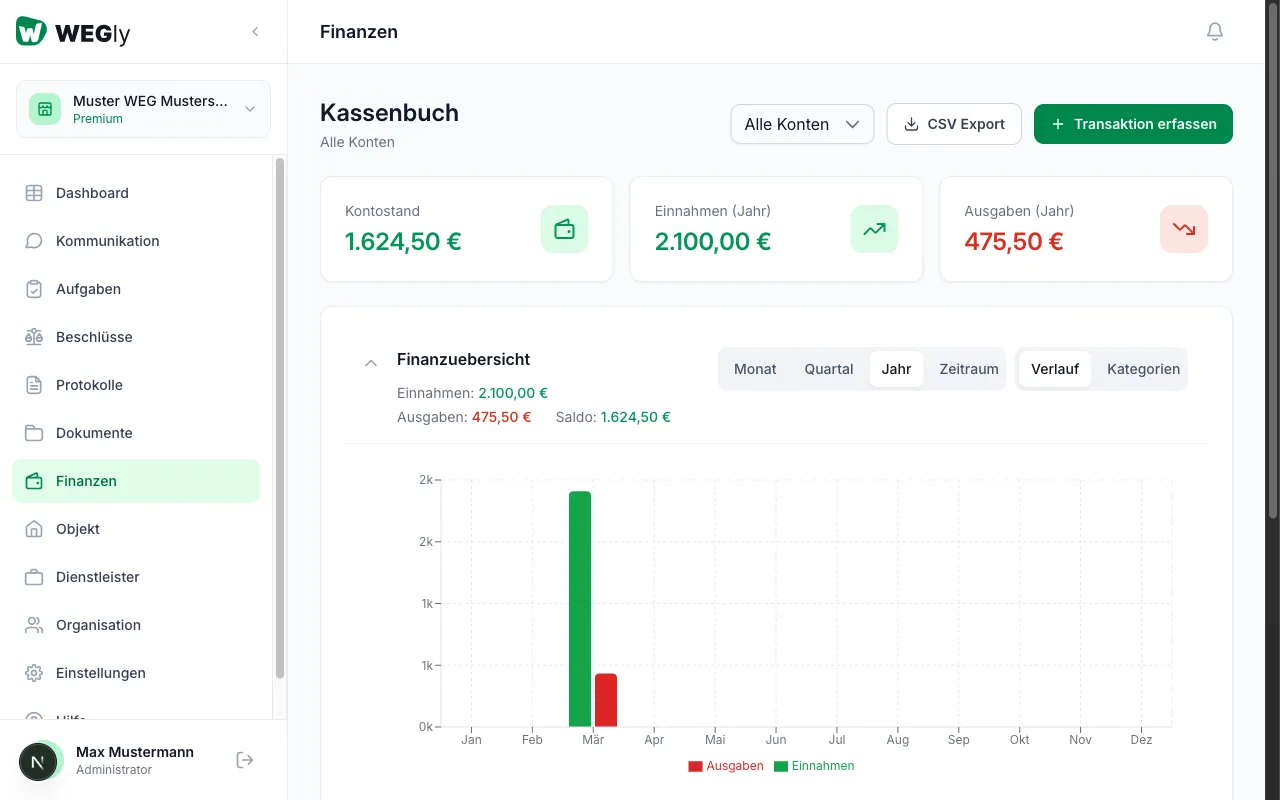
- Click on the All accounts dropdown at the top.
- Select the desired account.
- The view now shows only the transactions of the selected account.
Select All accounts to see an overview of all bookings.
Assigning a transaction to an account
When recording a new transaction under Finances, select the target account. Make sure the correct account is selected in the dropdown at the top before clicking Record transaction.
Editing an account
- Navigate to Organization and open the Financial accounts tab.
- Click the Edit icon (pencil icon) next to the account.
- Change the name of the account.
- Click Save.
Account balances at a glance
The account list under Financial accounts shows for each account:
- Name and type (e.g. "Standard")
- Number of transactions
- Current balance
Tips
- Create a separate reserves account if your HOA maintains a maintenance reserve. This prevents current expenses and reserves from being mixed together.
- The default account Base cannot be deleted. It is always present.
- Use the CSV export per account for the annual statement. Select the desired account under Finances and click CSV export.
Frequently asked questions
Can I transfer money between accounts? There is currently no direct transfer function. Record an expense on the source account and an income on the target account with a corresponding description (e.g. "Transfer to reserves account").
How many accounts can I create? The number of accounts is not limited. However, we recommend keeping the account structure simple. 2 to 3 accounts are sufficient for most small HOAs with 2-9 units.
Who can create and manage accounts? Only members with the Administrator role can create new accounts and edit existing ones under Organization.