
This article explains how to comment on bulletin board posts and respond to comments from other members.
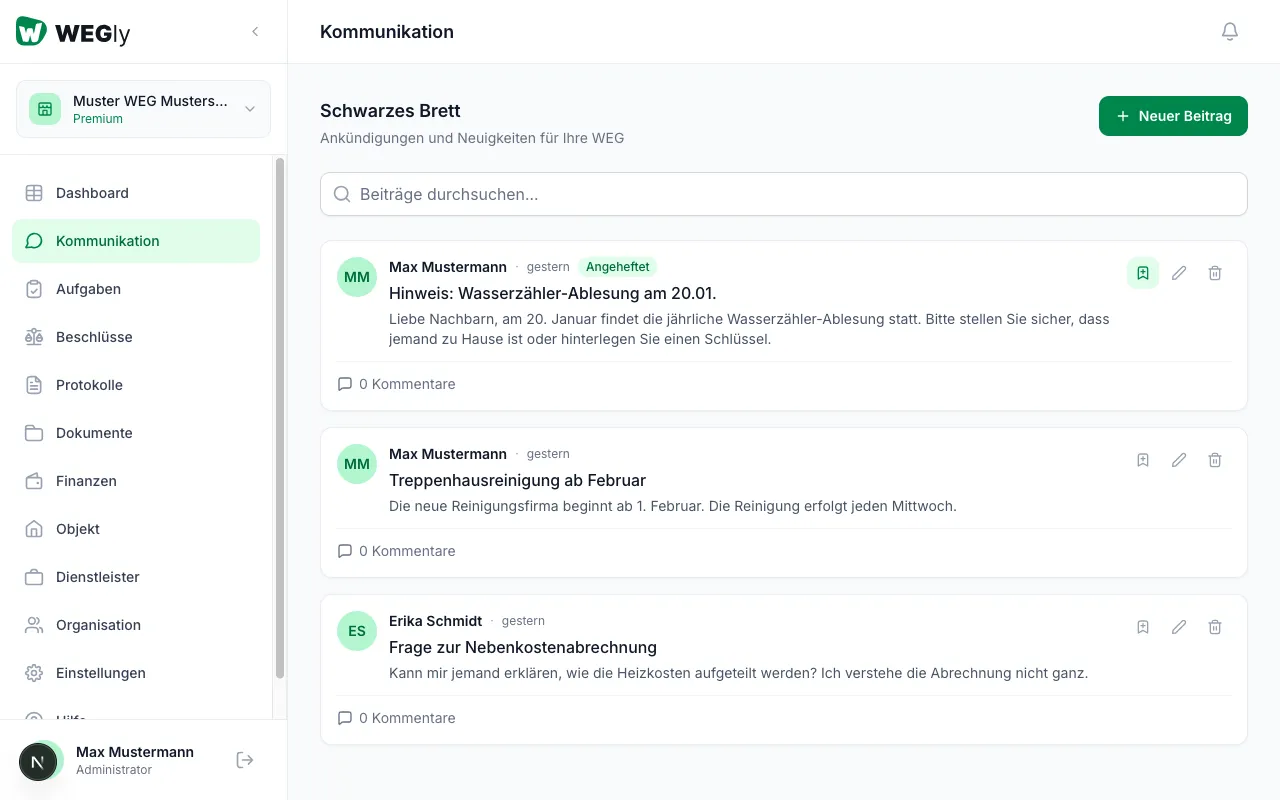
How it works
Every post on the bulletin board can be commented on by all members. Comments appear below the post and are visible to all members.
Writing a comment
- Navigate to Communication in the sidebar.
- Find the post you want to comment on.
- Click on 0 Comments (or the number shown) below the post.
- The comment section opens.
- Enter your comment in the text field.
- Click Send comment.
Your comment appears immediately below the post. Other members see your name and the timestamp.
Reading comments
Click on the comment indicator (e.g. 3 Comments) below a post. All comments are displayed chronologically, oldest first. Each comment shows:
- Name of the author
- Timestamp (e.g. "2 hours ago")
- Text content of the comment
Editing or deleting a comment
You can edit or delete your own comments. Administrators can manage all comments.
Notifications for new comments
If the New Comment notification is enabled under Settings, you will receive an email when someone comments on a post. The notification applies to all posts in your HOA.
For more on notification settings, see Notification settings.
Tips
- Use comments for brief follow-up questions or additions. For more extensive topics, create a new post instead.
- Write in a factual and constructive manner. The bulletin board is the digital equivalent of a notice board in the stairwell.
- Check the comments on pinned posts regularly. They often contain current questions about ongoing topics such as house rules or contact details.
Frequently asked questions
Can tenants write comments? This depends on the role configuration of your HOA. By default, members with the role Owner and Administrator can comment. Members with the role Tenant have restricted read access.
Is there a character limit for comments? There is no fixed character limit. For readability, short and concise comments are recommended. If you need more space, create a separate post and reference it in the comment.
Are all members notified about new comments? Only members who have enabled the New Comment notification in their settings. The notification can be managed under Settings in the Notifications tab.